A freezer can look “fine” until it isn’t. A door left slightly open, a short power flicker, a failing start relay, or a weak garage circuit can push temps up fast—and you won’t notice until food is soft. A freezer thermometer with alarm solves that by doing two things: showing your real temperature and warning you when it drifts.
Two numbers matter most:
- Freezer target: 0°F (-18°C)
- Outage decision point: if your freezer thermometer reads 40°F (4°C) or below, food is generally safe (and can be refrozen).
Quick buying decision: Wi-Fi vs wireless receiver vs Bluetooth
Pick Wi-Fi if you want alerts when you’re not home
This is the “save my food during an outage” scenario. MOCREO and GoveeLife both advertise app + email style alerts, plus a local alarm/buzzer at the hub/device.
Pick a wireless receiver kit (RF) if your freezer is in a garage/basement
RF kits often work better where the router signal is weak. ThermoPro explicitly positions their RF as a stronger/stabler alternative.
Pick Bluetooth (with optional gateway) if you care most about logging
SensorPush is great when you want clean graphs and the option to go “remote” later with a gateway.
Top 3 Picks (comparison table)
Our Pick
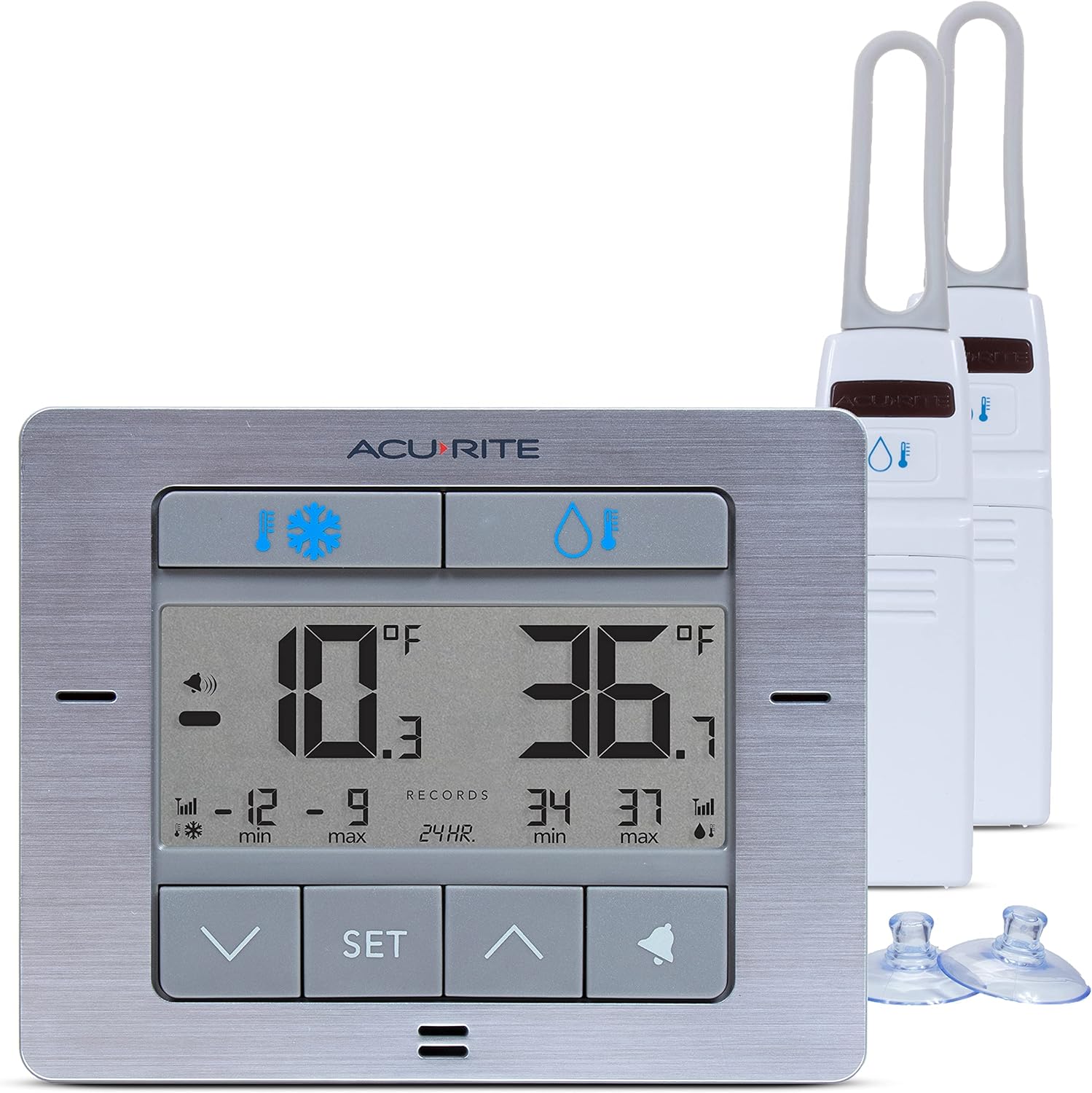 AcuRite Digital Wireless Fridge and Freezer Thermometer with Alarm |
For Value
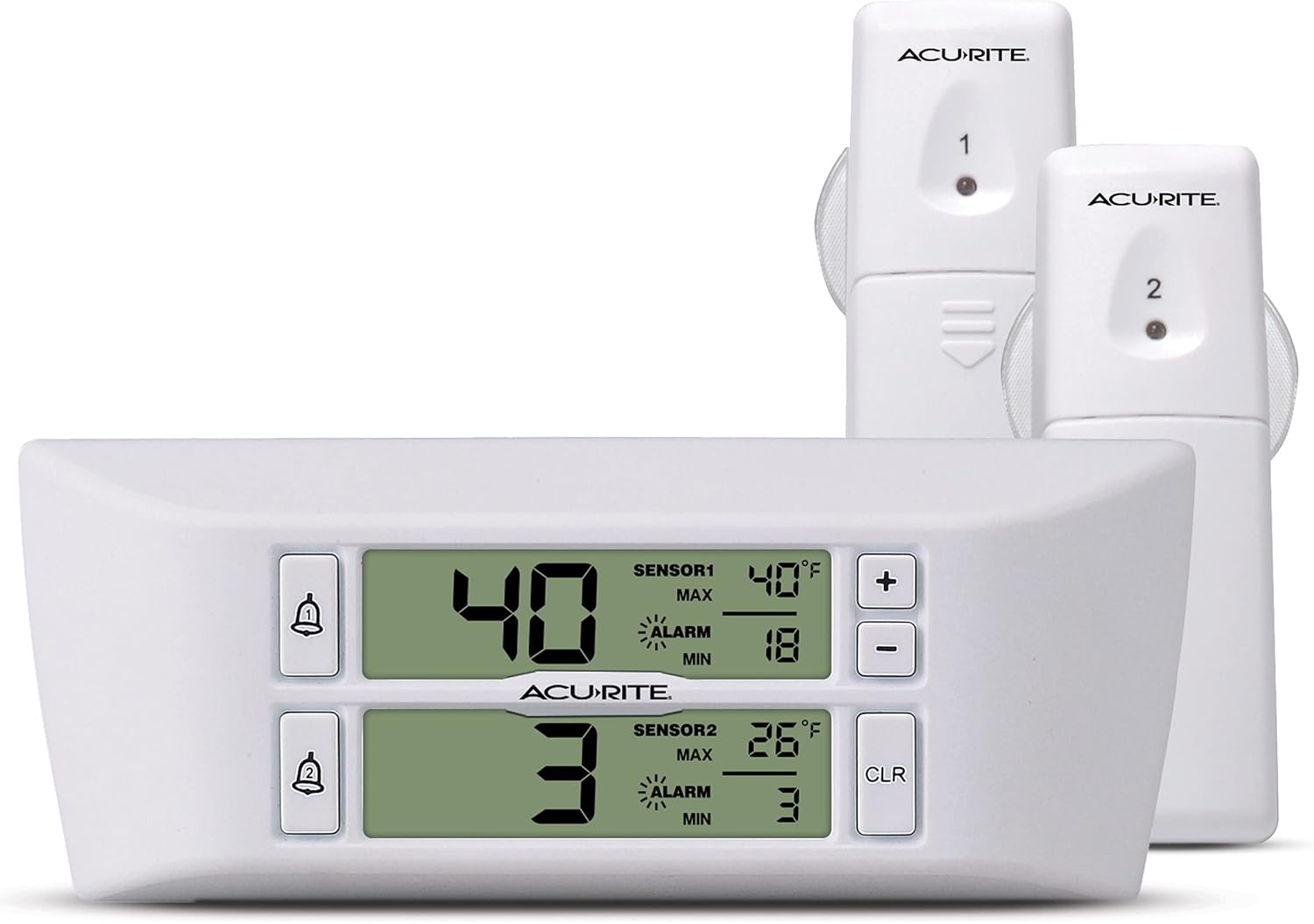 AcuRite 00986M Digital Wireless Fridge and Freezer Thermometer with Alarm |
Trendy
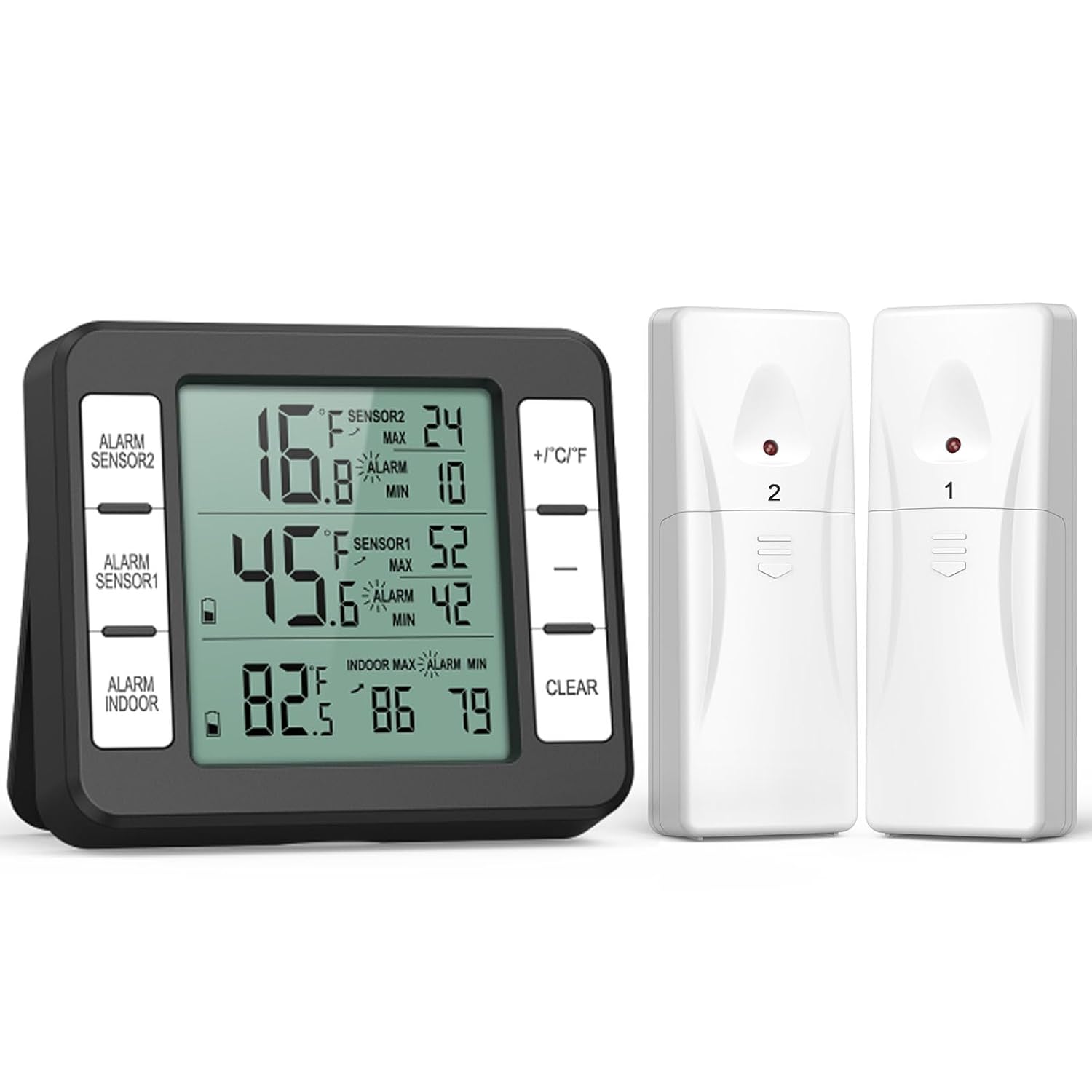 AMIR Refrigerator Thermometer, Wireless Indoor Outdoor Thermometer |
|
|---|---|---|---|
| Type | Wireless (433 MHz listed) | Wireless receiver kit | Wireless receiver kit |
| Sensor style | 1 fridge sensor + 1 freezer sensor | 2 remote sensors | 2 transmitters + main unit |
| Alarm methods | Audible + visual programmable alarms | Alarm triggers after 15 min out-of-range (listed) | Audible + visual alarm (manual hi/lo) |
| Range (real-world note) | 75 ft / 23m (listed; placement affects) | 75 ft / 23m (listed; placement affects) | Listing references up to 328 ft open area; also notes real-world obstacles |
| Logging / export | Max/min + 60-sec updates (listed) | No-frills monitoring (display + sensors) | Max/min + trend (listed) |
| Power | Display: 3×AA; sensors: AA (listed) | Display: 2×AAA; sensors: AA (listed) | Display: AAA; sensors: AA (listed) |
How to choose (6 things that actually matter)
1) Alarm method (how you want to be notified)
If you travel or you’re often out, prioritize app/email alerts (MOCREO, SensorPush). If you’re home most of the time, a loud receiver alarm (HODIK/AcuRite/AMIR) is usually enough.
2) Connection type (what works best in your home)
- WiFi systems are best for remote alerts, but they depend on router coverage.
- Wireless receiver kits (often 433 MHz) are great for garages and basements because they don’t need your router.
- Bluetooth + gateway is the “best of both worlds” if you want high-quality logging and remote access later.
3) Probe cable vs air sensor
A probe cable can be easier to position “deep inside” away from door swings (good for stable alarms). Some systems mention cable management/clip support.
4) False-alarm control
Look for either a built-in delay or settings that reduce nuisance alerts. Example: one AcuRite listing notes the alarm triggers only after temperatures stay out of range for a period.
5) Range + placement reality
Marketing ranges are usually “open air.” Walls, freezers, and garage doors cut signal. If the freezer is far from your living space, start with HODIK 330ft, or a wired alarm like CDN.
6) Data history (do you want proof?)
If you want to diagnose “random warming,” history is gold. SensorPush emphasizes onboard storage, unlimited app history, and CSV export; MOCREO highlights graphing + CSV export too.
Quick buying decision: Wi-Fi vs wireless receiver vs Bluetooth
Pick Wi-Fi if you want alerts when you’re not home
This is the “save my food during an outage” scenario. MOCREO and GoveeLife both advertise app + email style alerts, plus a local alarm/buzzer at the hub/device.
Pick a wireless receiver kit (RF) if your freezer is in a garage/basement
RF kits often work better where the router signal is weak. ThermoPro explicitly positions their RF as a stronger/stabler alternative.
Pick Bluetooth (with optional gateway) if you care most about logging
SensorPush is great when you want clean graphs and the option to go “remote” later with a gateway.
Recommended temperature targets and alarm settings
Freezer target
- Target: 0°F (-18°C)
Practical freezer alarm thresholds (good starting point)
- High alarm: 10°F
- Low alarm: -10°F (optional, but useful)
This range catches dangerous warming early while avoiding constant false alarms from quick door openings.
Refrigerator alarm thresholds (if you’re monitoring the fridge too)
- Target: 35–38°F
- High alarm: 40°F
- Low alarm: optional (only if items are freezing)
Sensor placement that improves accuracy (and reduces false alarms)
- Place the freezer sensor mid-level, toward the center/back, where temperature is more stable.
- Avoid the door area (big swings every time it opens).
- Avoid direct blast zones near vents (rapid cycling can cause noisy readings).
- If you’re using a wired probe, route the cable so the gasket seals cleanly.
A small placement change can be the difference between a trustworthy alarm and an annoying one.
The 8 best freezer thermometers with alarm
If you’re worried about spoilage and want the alarm to trigger earlier, this model has a documented behavior: an alert is triggered when temperature is out of range for longer than 5 minutes, specifically to reduce false alarms while loading groceries.This kit is designed specifically as a fridge sensor + freezer sensor feeding one display, with audible/visual programmable alarms, max/min, and 60-second updates.
AcuRite 00515M — Best wireless refrigerator thermometer with alarm
Why it’s a top pick: faster alarm response (great for chest freezers packed with meat).
Watch-outs: quicker alarms can mean more notifications if you frequently open the door.
One drawback: listed wireless range is 75 ft and placement impacts it.
Who should skip: if your freezer is across a detached garage and you need longer reach.
Setup note: lithium batteries are recommended in sensors for very cold temps (listed note).
If you want one simple setup that covers both your fridge and freezer, this one’s hard to beat. It comes with two sensors, shows both temperatures, tracks highs/lows, and gives audible + visual alarms when temps leave your custom range. It also lists a freezer-friendly temperature range down to -40°F.
This one stands out for a simple reason: the listing says the alarm is triggered when temps remain out of range for a period (not instantly), which helps reduce “door open for 30 seconds” false alarms.
AcuRite 00986 — Best overall dual-sensor kit
Why it’s a top pick: dependable “set it and forget it” monitoring for most homes.
Watch-outs: alarm delay behavior can be longer by design on some models (good for false alarms, slower for emergencies).
One drawback: it’s still range-limited (the listing shows 75 ft and notes placement affects it).
Who should skip: anyone who wants app graphs.
Setup note: if you’re getting dropouts, move the receiver a few feet—small changes can matter.
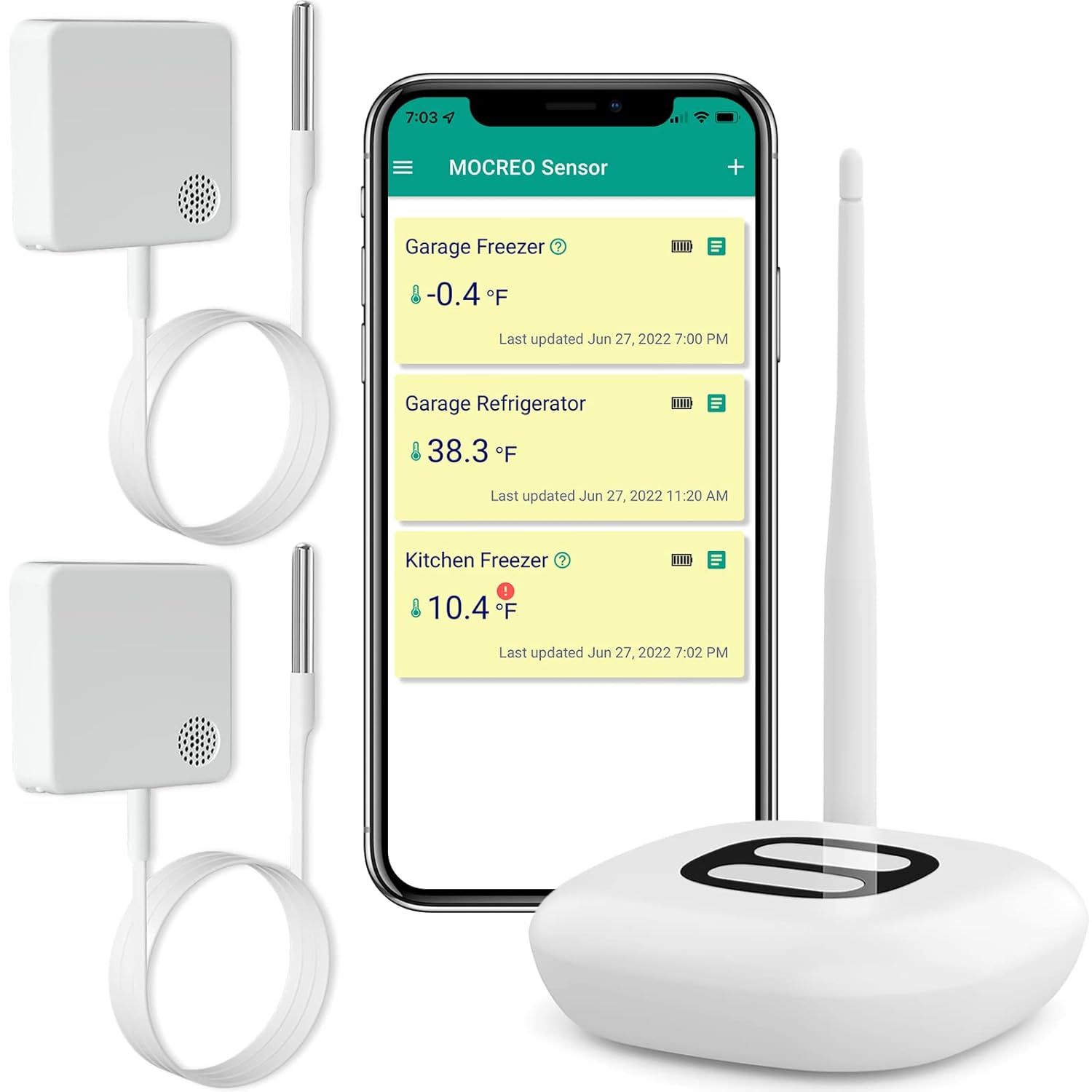
This is for people who want true peace of mind when they’re not standing next to the freezer. The listing highlights app push + email alerts and a loud hub alarm, plus online graphs and CSV export for historical data. It also mentions support for expanding to many sensors if you add more fridges/freezers later.
This is the easiest “set it and forget it” style if you want phone/email notifications and a history you can actually use. The listing calls out app + email + hub beep, plus CSV exports and no subscription.
MOCREO Wi-Fi Freezer Thermometer Alarm — Best Wi-Fi + email alerts
Why it’s a top pick: remote alerts + exportable history (super helpful after an outage).
Watch-outs: Wi-Fi setup takes a few minutes; keep the hub somewhere it can hold a stable connection.
One drawback: you still need good placement so the hub and sensors communicate reliably (they mention a 131 ft sensor range).
Who should skip: if your garage fridge is far from the house and you don’t want to run a hub closer.
Setup note: place the sensor toward the middle/back of the freezer, not right by the door.
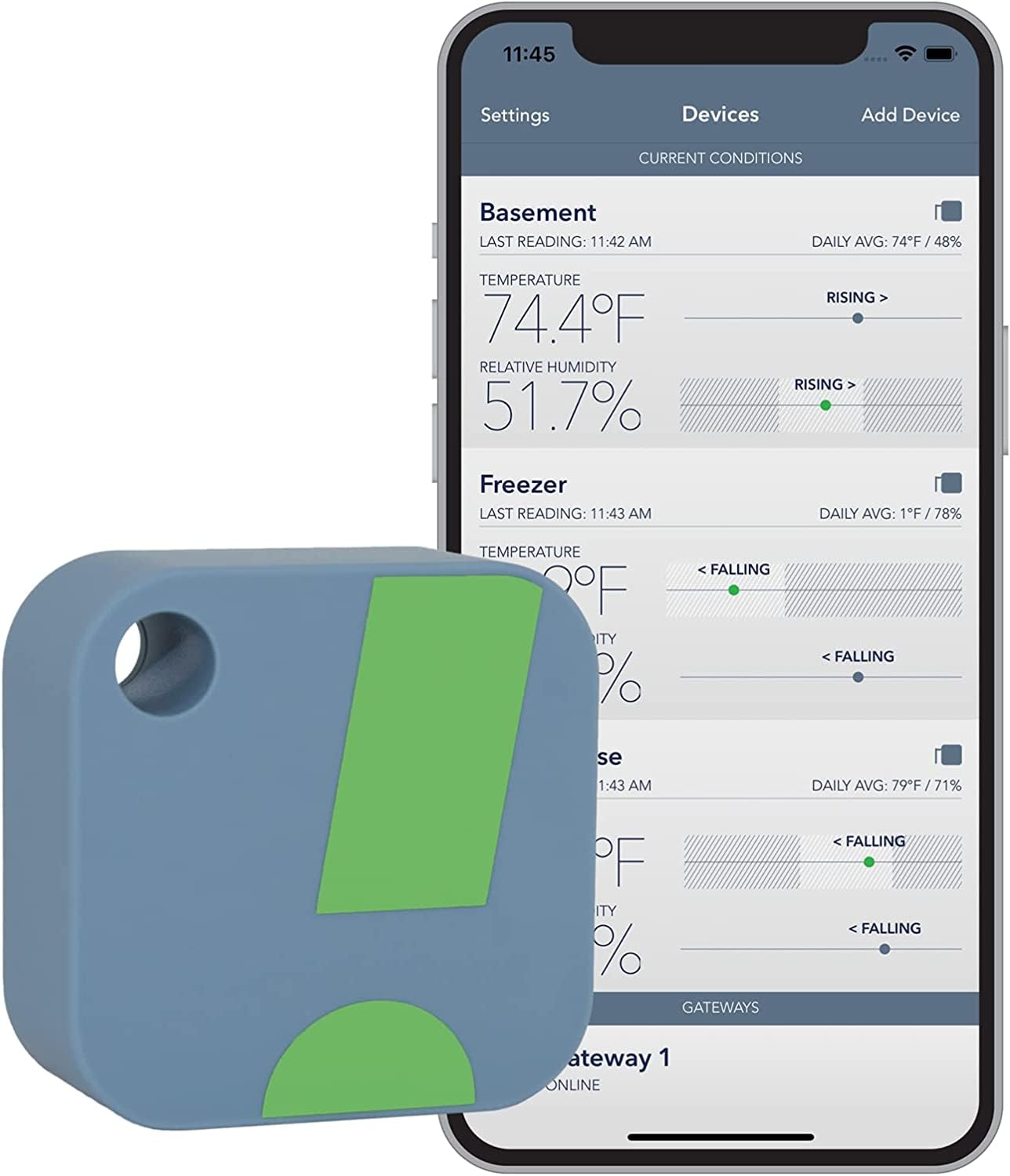
SensorPush is popular because it’s small, stable, and great at showing what’s happening over time. On Amazon and on the brand site, it’s positioned as Bluetooth by default, with an optional G1 Wi-Fi Gateway to enable “access anywhere.”
If you care about temperature history (and exporting it), SensorPush is strong: it highlights onboard storage, unlimited app history, and CSV export, and it works with a WiFi gateway if you want remote access beyond Bluetooth range.
SensorPush HT1 — best for “real” logging (add gateway for remote later)
Why it’s a top pick: if you want to prove your freezer is drifting, the data history is gold.
Watch-outs: without the gateway, you’ll only see updates when you’re in Bluetooth range.
Who should skip: if you want a loud kitchen receiver alarm (this is more phone/app oriented).
Setup note: check Bluetooth reach from freezer to wherever your phone/gateway will sit.
AMIR’s listing highlights 2 transmitters, max/min, and manual high/low alarm. It also notes the alarm behavior (it compares temperature after 10 minutes before alarming).
This one is for shoppers who want the basic benefit—an audible alarm—without paying for Wi-Fi systems. The Amazon listing positions it as a wireless indoor/outdoor style thermometer with audible alarm, commonly used for freezer monitoring.
AMIR Wireless Refrigerator Thermometer — Best budget “receiver + sensor” option
Why it’s a top pick: low-cost entry into “alarm-based” monitoring.
Watch-outs: kits vary; confirm how many sensors are included and where the receiver can be placed.
One drawback: budget kits can be more sensitive to placement and batteries.
Who should skip: if you want premium app logging/export.
Setup note: it lists separate batteries for display and sensors (AAA/AA).
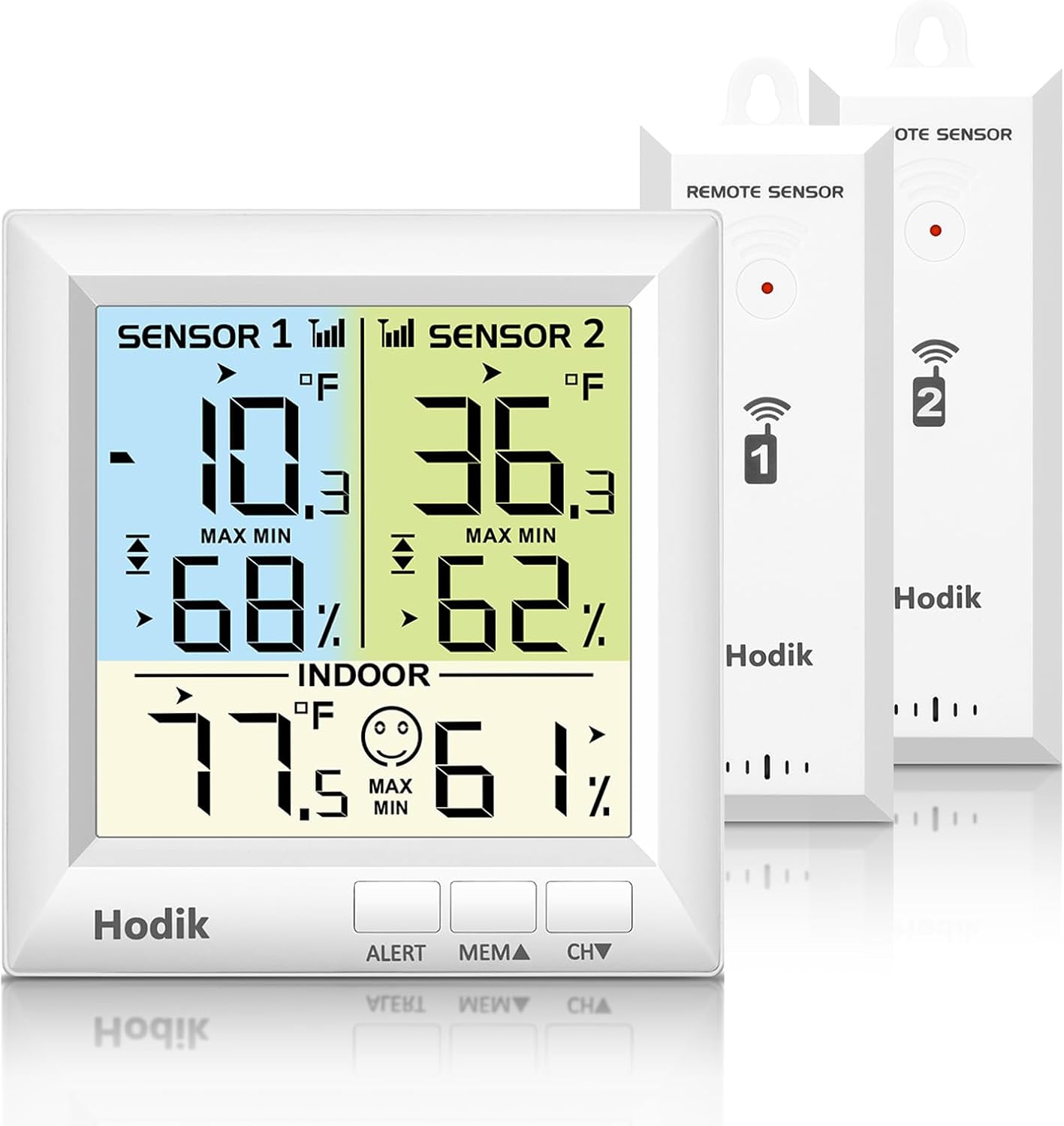
HODIK 330FT Wireless Freezer Thermometer w/ Alarm (B0DD7KZD1G) — best value long-range display
For a garage freezer, a receiver kit is often the cleanest solution. This listing emphasizes 330ft/100m monitoring range, 2 sensors, and a loud alert (up to 90dB).
One drawback: it’s a receiver/display system, not an app-first setup.
Who should skip: if you specifically want email alerts and graphs.
Setup note: place the receiver where you’ll hear it (kitchen/hallway), and keep sensors away from the door area.
HODIK — Best Adjustable Backlight and 330FT Remote Range for Kitchen
One drawback: it’s a receiver/display system, not an app-first setup.
Who should skip: if you specifically want email alerts and graphs.
Setup note: place the receiver where you’ll hear it (kitchen/hallway), and keep sensors away from the door area.
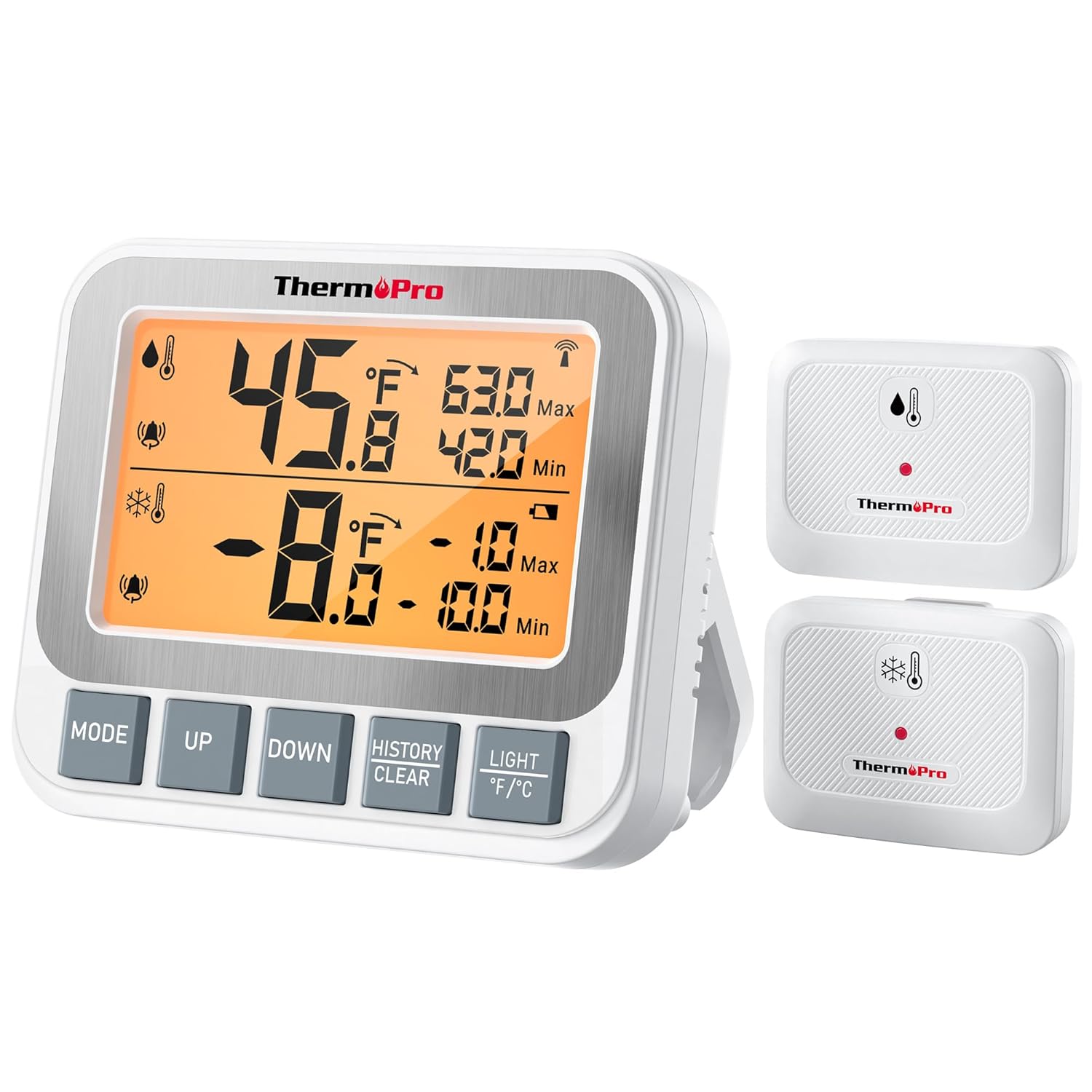
This is the pick for “my freezer is in the garage and Wi-Fi is unreliable.” ThermoPro’s listing calls out RF technology and a 500 ft / 150 m stronger/stabler range claim compared to Wi-Fi thermometers.
ThermoPro — Best WiFi fridge thermometers
Why it’s a top pick: receiver kits can be more dependable through walls and distance.
Watch-outs: real-world range depends on walls/metal appliances; treat the range as “best case.”
Setup tips that prevent 90% of “bad readings”
Place the sensor where it represents the real freezer temp
Don’t put it right next to the door or directly in the airflow blast. Aim for the middle/back area so it reflects the average freezer temperature.
Start with sensible alarm thresholds
Your freezer target is 0°F (-18°C).
A practical starting point many people use is:
- High alarm: 10°F (gives you time before things thaw)
- Low alarm: -10°F (helps catch “too cold” or sensor placement issues)
Then adjust based on your freezer and how often you open it.If you keep getting false alarms, change one thing first
Either move the sensor away from the door area, or increase the alarm delay / widen the alarm range slightly. (Some models already build in a delay to reduce nuisance alerts.)
What to do when your freezer thermometer alarm goes off
- Check the door seal and closure first. A slightly open door is the most common cause.
- Look at the reading trend. Is it rising fast or just a short spike?
- Move the sensor away from the door/vents if you suspect placement is causing false alarms.
- Minimize door opening while the freezer recovers.
- If temperatures keep rising, move high-value food to another freezer or a cooler with ice packs and start troubleshooting the appliance.
Power outage and “refreeze” situations (quick guidance)
During an outage, the best move is simple: keep doors closed and monitor temperature. If food is still partially frozen (ice crystals) and temperatures stayed low, it’s typically safer than food that fully warmed and sat warm for long periods.
A reliable freezer thermometer with alarm makes these decisions easier because you’re not guessing.
FAQ
What temperature should a freezer be?
The FDA recommends keeping the freezer at 0°F (-18°C) and the refrigerator at 40°F or below.
Where should I place the thermometer sensor inside a freezer?
Place it near the middle/back area, away from the door and away from direct air vents. That gives a more stable “average” reading.
Wi-Fi vs wireless receiver: which is better for a garage freezer?
If your router signal is weak in the garage, a wireless receiver (RF) kit is often more dependable through walls and distance.
How do I stop false alarms when I add groceries?
Move the sensor away from the door area and use a small delay/wider alarm range. Some systems already trigger alerts only after temps stay out of range for a set time to prevent nuisance alarms.
Do I need two sensors?
If you want to monitor both fridge and freezer (or two freezers), dual sensors are worth it—one screen, two readings, and clearer alarms.
Is Bluetooth enough?
Bluetooth is enough if you’re okay checking temps when you’re nearby. If you need alerts while you’re away, choose Wi-Fi—or Bluetooth + a Wi-Fi gateway (SensorPush supports that upgrade path).
Should I use one thermometer for both fridge and freezer?
It’s better to monitor both separately. Temperature swings and failure modes are different, and dual-sensor kits make this easy.
After a power outage, what thermometer reading matters most?
A key safety checkpoint is whether the freezer thermometer reads 40°F or below.
Budget “no-alarm” alternatives (only if you just want spot-checking)
If you only want to confirm temps occasionally (no alerts), your earlier Amazon picks fit this role:
Conclusion
If you want the best “set it and forget it” setup for most homes, a dual-sensor receiver kit like AcuRite 00986 is a simple win.
If you want alerts when you’re away (the true “save my food” use case), go Wi-Fi with MOCREO or GoveeLife for app + email-style alerts.
And if your freezer lives in a garage where Wi-Fi is weak, the ThermoPro RF receiver style is often the most practical.